
Imagine sinking into your couch, popcorn in hand, as the sound of an epic battle surrounds you like a warm hug from a bear. That’s the magic of a surround sound setup. It’s not just about watching movies; it’s about transforming your living room into a cinematic wonderland where every explosion, whisper, and musical note comes to life.
Understanding Surround Sound Setup
Surround sound setups create immersive audio environments, enhancing overall entertainment experiences. These systems employ multiple speakers strategically positioned around a listener to deliver sound from various directions.
What Is Surround Sound?
Surround sound refers to audio playback that envelops the listener in sound. It uses multiple channels to create a realistic audio experience. Standard configurations include 5.1 or 7.1 systems, where .1 designates a subwoofer for low-frequency effects. Dolby Atmos represents an advanced option that adds height channels, allowing sound to move in a three-dimensional space. Various formats exist including DTS and PCM, each providing unique audio experiences tailored to specific setups.
Benefits of Surround Sound
Surround sound significantly enhances audio clarity and depth. It makes action scenes feel more engaging, providing distinct sounds that immerse viewers. Conversations in films become clearer, allowing better understanding of dialogues. Spatial awareness improves, making it easier to pinpoint audio sources. Additionally, surround sound setups suit gaming environments, delivering competitive advantages through enhanced audio cues. These systems also elevate the enjoyment of music, resulting in a fuller, rich sound experience. Overall, the investment in surround sound setups pays off by enriching the home viewing environment.
Essential Components of Surround Sound Setup
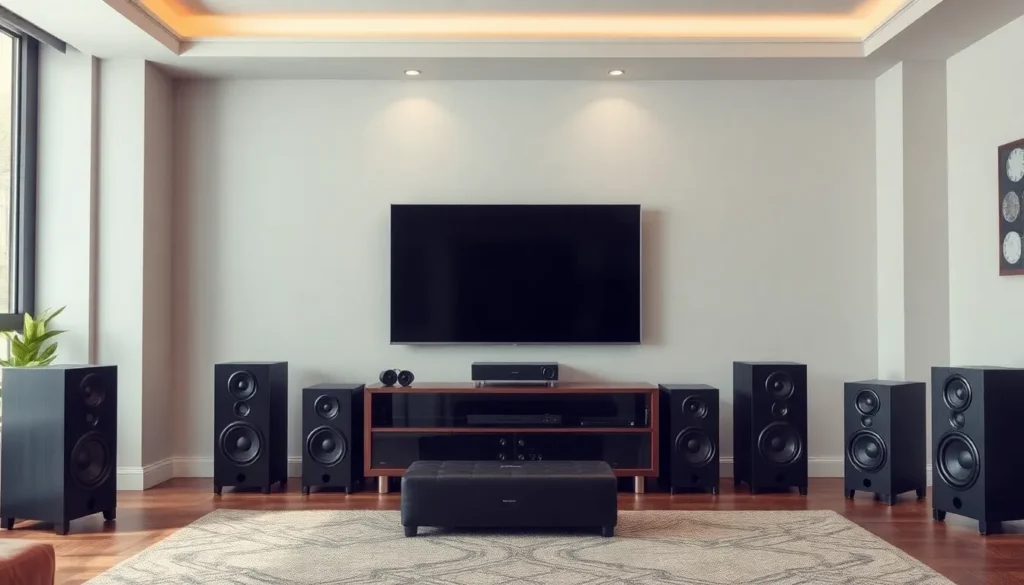
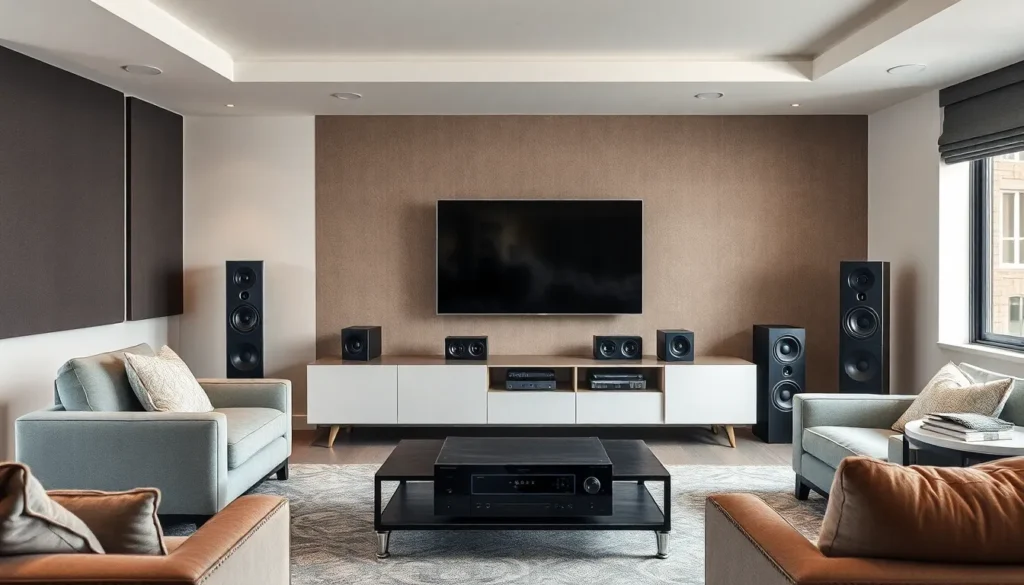
Surround sound setups consist of several key components that work together to deliver an immersive audio experience. The main components include speakers, receivers, and additional equipment.
Speakers
Speakers play a crucial role in creating a surround sound environment. Standard configurations include five or more speakers, which consist of a center channel speaker for dialogue, two front speakers for stereo sound, two rear speakers for ambient audio, and a subwoofer to handle low frequencies. Options vary, such as soundbars that combine multiple channels or discrete speakers positioned for maximum effect. Quality matters; choosing speakers with a broad frequency range enhances sound clarity, ensuring explosions sound powerful while whispers remain clear.
Receiver
The receiver acts as the hub for audio and video signals in a surround sound system. Functioning as an amplifier, it processes incoming audio from various sources before distributing it to connected speakers. Look for receivers that support multiple audio formats like Dolby Atmos or DTS:X; these formats provide an immersive experience by adding height channels. Inputs also matter; a receiver with ample HDMI and optical connections accommodates numerous devices, ensuring seamless integration.
Additional Equipment
Additional equipment can further enhance a surround sound setup. A quality subwoofer adds depth and richness to audio, significantly improving the cinematic experience. Cables and connectors enhance signal quality and reduce interference, so opt for high-speed HDMI cables for best performance. Acoustic treatments for the room can optimize sound quality by reducing echoes and enhancing clarity. Options like speaker mounts or stands provide flexibility for speaker placement, ensuring an optimal audio experience tailored to the space.
Steps to Create a Surround Sound Setup
Creating a surround sound setup requires careful planning and execution. Follow these steps to achieve an immersive audio experience.
Room Selection
Selecting the right room is key to optimal audio performance. A small, enclosed space often enhances sound clarity, while larger rooms may require more speakers for balanced audio. Consider shape and layout; rectangular rooms tend to distribute sound better than square ones. Avoid rooms with excessive hard surfaces since they reflect sound, potentially causing echoes. Carpet or rugs can absorb unwanted sounds, improving overall acoustics. An ideal setup should allow ample distance between speakers and the listener for the best experience.
Speaker Placement
Proper speaker placement is essential for creating immersive sound. Arrange the center speaker directly above or below the TV for clear dialogue. Place front speakers at ear level, angled slightly toward the listener for stereo sound. Surround speakers should sit slightly above ear level on the side or behind the seating area, creating an enveloping sound effect. Subwoofers work best positioned in a corner or near walls to amplify low frequencies. Experimenting with positions allows for fine-tuning and achieving the best sound quality.
Calibration and Configuration
Calibrating and configuring the setup maximizes audio performance. Many receivers come with auto-calibration features that analyze speaker placement and adjust settings accordingly. Run calibration software to optimize channel levels and distance settings, ensuring balanced sound across all speakers. Adjust volume levels to prevent distortion, particularly during action scenes. Manual adjustments may enhance sound quality further, catering to specific room acoustics. Regularly checking and recalibrating after moving speakers ensures a consistently immersive experience.
Common Issues and Troubleshooting
Surround sound setups present users with various challenges. Addressing these common issues can lead to a more enjoyable audio experience.
Connectivity Problems
Connectivity problems often arise during the setup process. Unplugging and replugging cables can resolve many issues, ensuring secure connections between the receiver and speakers. Inspecting HDMI or optical cables prevents signal interruptions, with damaged or defective cables being the root cause of most problems. Checking the audio input settings on receivers also eliminates mismatches that hinder audio playback. Updating firmware on devices can fix compatibility issues, enhancing connectivity across all components.
Sound Quality Issues
Sound quality issues affect the overall viewing experience. Evaluating speaker placement tackles many problems associated with audio clarity. Surround speakers should be positioned at ear level to produce optimal sound effects. Testing different calibration settings helps fine-tune audio output, ensuring more lifelike sound reproduction. Listening modes on receivers can be adjusted based on content type, like movies or music, to enhance clarity. Checking for audio lag between speakers allows users to synchronize sound, improving immersion during playback.

